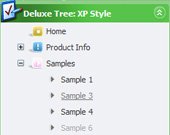
Recent Questions Dock Tree Menu
Q: I want to remove the "Loading...", message when using AJAX to load pull down menu nodes. This is because it does not fit in with my colour scheme and sometimes it stays there when no more nodes are loaded.
A: Open dmenu_ajax.js file in any text editor.
Find and delete the following words:
visibility="visible";Q: When I create a tree menu that can be expanded with the double arrows. I was wonder if there was a way to have the dhtml slide tree menu already expanded with I open the page the menu is on instead of having to expanded every time.
A: To expand items by default in Javascript/DHTML Tree you should add '+' symbolbefore item text.
Foe example:
["+Javascript/DHTML Tree: XP Style","", "default.files/xpicon1_s.gif", "", "", "XP Title Tip", "", "0", "", ],
["|Home","testlink.htm", "default.files/icon1_s.gif", "default.files/icon1_so.gif", "", "Home Page Tip", "", "", "", ],
["|Product Info","", "default.files/icon2_s.gif", "default.files/icon2_so.gif", "", "Product Info Tip", "", "", "", ],
["||What's New","testlink.htm", "default.files/iconarrs.gif", "", "", "", "", "", "", ],
["||Features","testlink.htm", "default.files/iconarrs.gif", "", "", "", "", "", "", ],
...
The following parameter expands all menu items by default:
var texpanded=1;
Q: The home page of our website uses java script dhtml. The error comes up when attempting to select a tab for the first time; subsequent selections are fine. The error is something about an object being null. Probably just need to modify a function to test for null, but can't read the .js file because its obfuscated.
A: You should set the following java script dhtml parameter.
var bselectedSmItem=0;
There are no subitems in your menu.
Q: I have two question for now...
Where can I change the word "loading" during ajax is loading the submenu?????
Is state saving of javascript based tree just for the first level??? Does it works for the AJAX submenus?
The reason why I switch to treemenu is the possibility of state saving!
A: I've just checked your website and save state feature works fine for the ajax submenus.
Actually we've added this feature in v3.2.7 of Javascript/DHTML Tree.
http://deluxe-tree.com/whats-new-info.html
I see you changed the "Loading.." text inside the dtree_ajax.js file.